Every API request needs a Bearer token in the Authorization header. This page covers key types, permissions, test mode, and security.
Key Formats
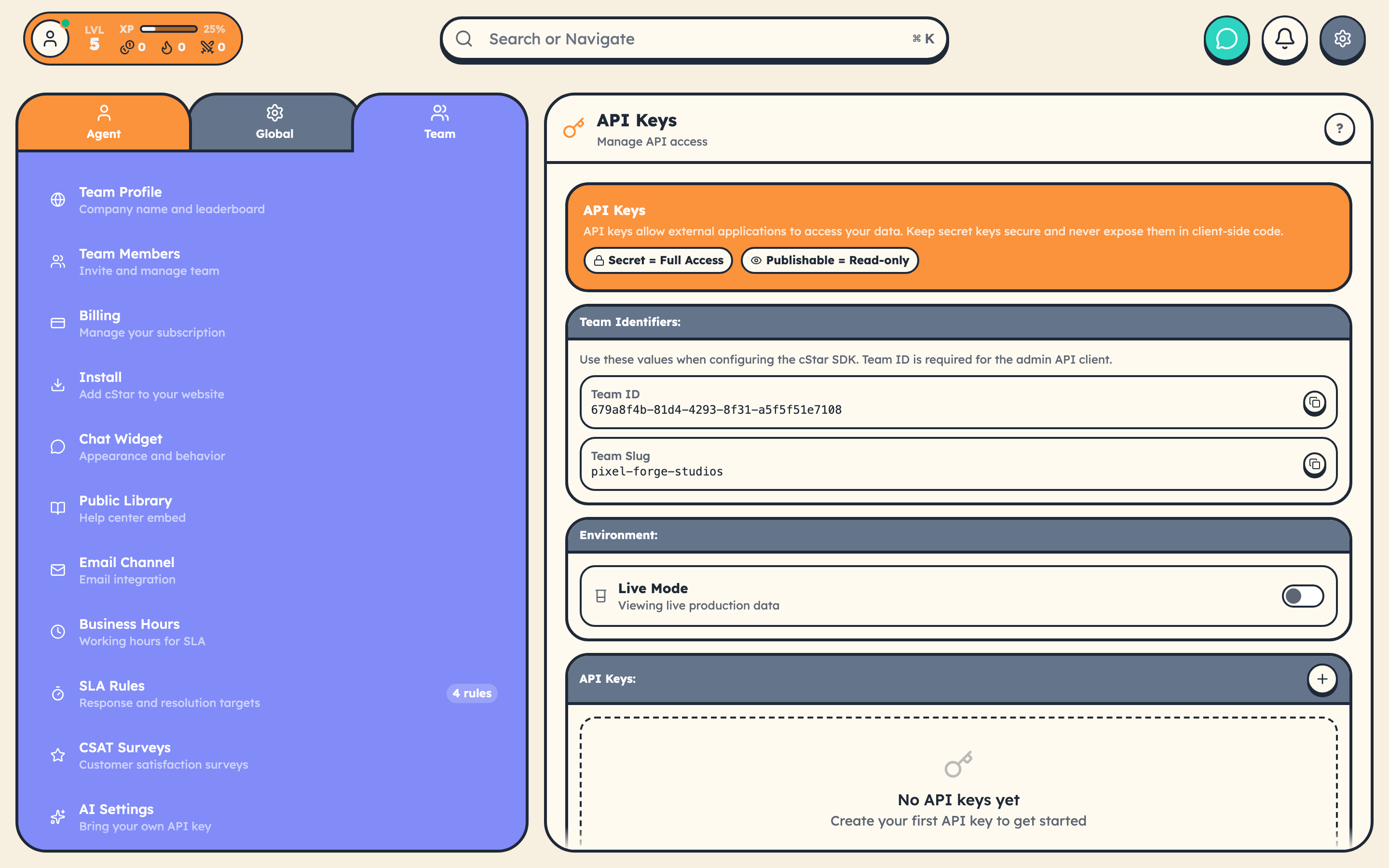
cStar uses four key prefixes:
| Prefix | Type | Environment |
|---|---|---|
sk_live_ |
Secret | Production |
sk_test_ |
Secret | Test/Sandbox |
pk_live_ |
Publishable | Production |
pk_test_ |
Publishable | Test/Sandbox |
Keys are 32 random base64url characters after the prefix (so the alphabet includes A-Z, a-z, 0-9, -, and _). Example: sk_live_a1B2c3D4e5F6g7H8i9J0k-L2m3N4o5P6.
Secret Keys (Server-Side)
- Full CRUD access: read, create, update, delete
- 1,000 requests/hour rate limit
- Server-side only: never expose in client code, bundle output, or Git repos
curl https://www.cstar.help/api/v1/teams/{teamId}/tickets \
  -H "Authorization: Bearer sk_live_your_secret_key" \
  -H "Content-Type: application/json"
Publishable Keys (Client-Side)
- Read-only access: write operations return
403with a clear error - 100 requests/hour rate limit
- Safe for browsers and mobile apps
If you try to create or update a resource with a publishable key, the error tells you exactly what to do:
{
  "error": {
    "type": "authentication_error",
    "code": "publishable_key_write",
    "message": "Publishable keys (pk_live_) are read-only. Use a secret key (sk_live_) for write operations"
  }
}
Public Library API (No Key)
Library endpoints require no authentication at all:
GET  /api/library/{team_slug_or_id}/articles
GET  /api/library/{team_slug_or_id}/articles/{slug}
GET  /api/library/{team_slug_or_id}/categories
GET  /api/library/{team_slug_or_id}/search?q={query}
POST /api/library/{team_slug_or_id}/articles/{slug}/view
POST /api/library/{team_slug_or_id}/articles/{slug}/feedback
These accept your team UUID or slug. Per-IP rate limiting is enforced at the edge.
Test Mode
Test keys (sk_test_, pk_test_) operate against a completely separate data environment. Data created with test keys is invisible to live keys and vice versa.
Use test mode during development so you never touch real customer data.
Making Authenticated Requests
const response = await fetch(
  'https://www.cstar.help/api/v1/teams/{teamId}/tickets',
  {
    headers: {
      'Authorization': 'Bearer sk_live_your_secret_key',
      'Content-Type': 'application/json'
    }
  }
);

const { success, data, error } = await response.json();
Authentication Errors
| Code | Status | Meaning |
|---|---|---|
authentication_required |
401 | Missing or malformed Authorization header |
invalid_api_key |
401 | Key is invalid or revoked |
invalid_key_format |
401 | Key doesn't start with a recognized prefix |
key_expired |
401 | Key has expired. Generate a new one. |
insufficient_permissions |
403 | Key lacks the required permission |
publishable_key_write |
403 | Tried to write with a publishable key |
team_access_denied |
403 | Key doesn't belong to the requested team |
Every error includes a doc_url pointing to the relevant error docs.
Widget Authentication
The CStarChat widget SDK handles customer authentication separately:
// Signup a new customer
await CStarChat.signup({
  email: 'customer@example.com',
  name: 'Jane Doe',
  password: 'securepass123'
});

// Login an existing customer
await CStarChat.login({
  email: 'customer@example.com',
  password: 'securepass123'
});

// Sessions persist in localStorage
if (CStarChat.isIdentified()) {
  const customer = CStarChat.getCustomer();
}
For passing your own auth system's identity to the widget, see Customer Identity Verification.
Security Checklist
- Store secret keys in environment variables, not source code
- Use publishable keys (or the public Library API) in client-side code
- Rotate keys if a team member with access leaves
- All API endpoints require HTTPS
- Monitor usage in Settings → Team → API Keys